
Quick Answer
If you are running an e-commerce business directly from your smartphone, your photos are your most important sales representatives. In online marketplaces like Etsy, eBay, Amazon, and TikTok Shop, buyers cannot touch, feel, or inspect your inventory. They rely entirely on a tiny digital thumbnail to judge whether your store is a trustworthy brand or an unreliable side hustle.
Get Portrait Drop on Android
Install Portrait Drop from Google Play to use live studio backdrop previews, Professional Studio Finish, AI product captions, and pay-as-you-go credits on Android.


Desktop visitor? Scan this with your Android phone.
Why Android sellers need more than basic filters
For years, creating studio-grade product listings required a high-end DSLR camera, a dedicated desktop computer running Photoshop, complex lighting equipment, and hours of tedious manual background erasing. Today, mobile hardware has leveled the playing field. The lens on your Android device is fully capable of capturing high-resolution commercial images. The real bottleneck is no longer hardware. It is the software workflow you use to polish raw captures, preserve the real item, and move inventory into listings quickly.
Portrait Drop is not positioned as a generic upload-and-clean AI editor. It is a real-time mobile product photography workflow for Android sellers who want seller-ready images as they shoot, Professional Studio Finish, and image-aware selling copy.
The core features of a professional product photography app
Before choosing a product photo app from the Google Play Store, separate generic smartphone editors from true e-commerce listing workflow tools. A basic editor may brighten an image or apply a preset, but sellers need technical efficiency, background accuracy, and cost-effective output controls. The strongest Android apps help you move from raw camera capture to marketplace-ready image without rebuilding the same process across several disconnected tools.
The four critical pillars are high-precision background removal, marketplace guideline compliance, realistic light and shadow grounding, and workflow speed. If an app is weak in any of these areas, the seller ends up compensating manually with extra editing apps, design templates, desktop software, or copywriting tools.
1. High-precision background eraser and edge refinement
A product shot with fuzzy, pixelated edges around a shirt sleeve, necklace chain, or piece of jewelry instantly looks cheap. Buyers may not consciously diagnose the technical flaw, but the result still feels less trustworthy. The best Android product photo tools use deep-learning object recognition to cleanly separate physical inventory from the background.
This matters most when the product has difficult textures: hair, fur, sheer fabric, reflective plastic, transparent packaging, metallic highlights, or thin straps. The app should understand the real object boundary and preserve detail instead of creating a cutout that looks pasted onto a fake scene.
Want this workflow on your Android phone?
Install Portrait Drop to capture product photos, preview backdrops, and prepare seller-ready images.
2. Marketplace guidelines compliance
Different e-commerce platforms have rigid formatting rules for main listing photos. Amazon and Flipkart commonly require a pure white background, often described as RGB 255, 255, 255, with the product filling most of the frame. Etsy, Shopify, eBay, and TikTok Shop may allow more creative presentation, but primary product images still need clarity and consistency.
Your app should let you output pure white main shots alongside cleaner lifestyle or promotional backgrounds without altering image aspect ratios, lowering export quality, or degrading resolution. A seller should not need a desktop canvas tool just to meet basic marketplace image expectations.
3. Realistic light and shadow grounding
When a background is erased poorly, the product often looks like it is floating in space. That weakens buyer trust because the item no longer feels physically present. A professional workflow needs realistic grounding: contact shadows, soft drop shadows, or subtle reflections that make the product feel photographed in a real studio environment.
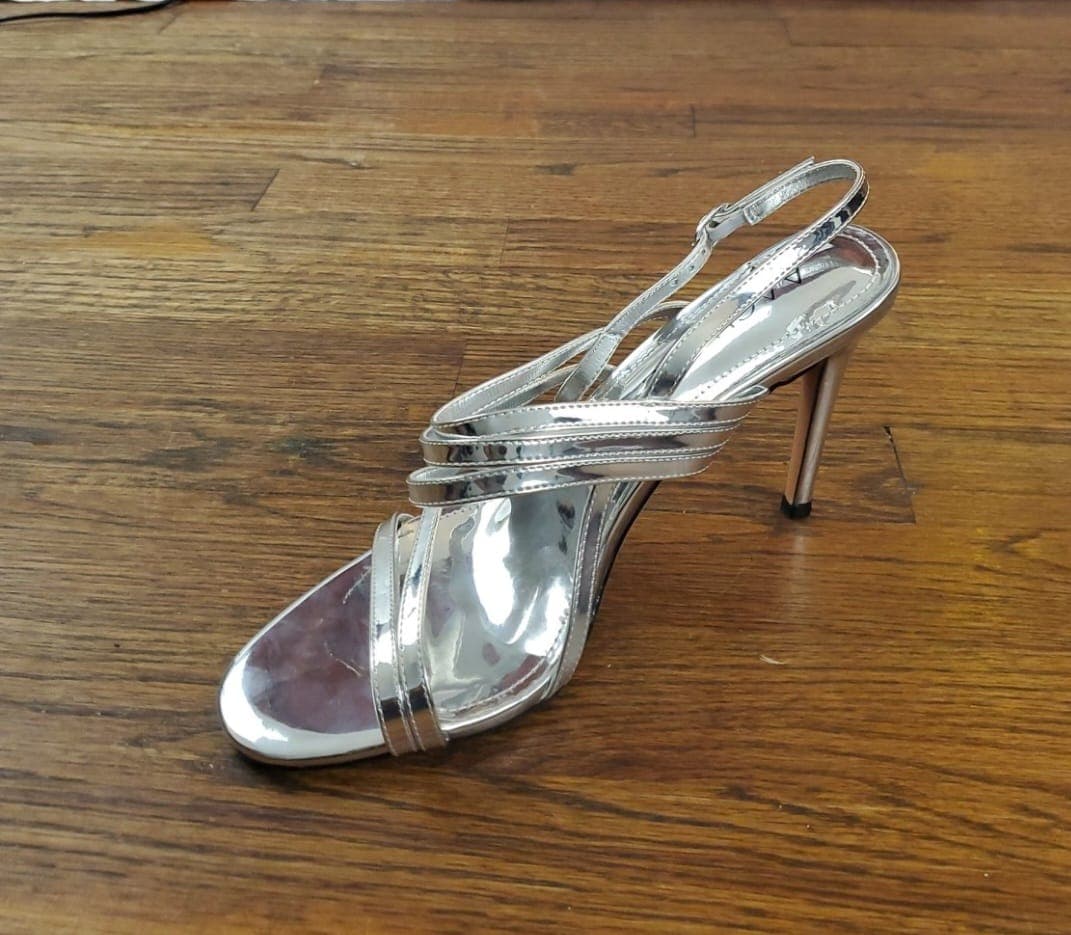
This is especially important for shoes, bags, bottles, toys, jewelry displays, small appliances, and boxed products. The goal is not to fake a different item. The goal is to make the real product feel anchored, clear, and credible in a marketplace thumbnail.
4. Workflow speed and asset consolidation
As a reseller or small business owner, time is your most finite resource. If you take a photo in one app, erase the background in a second app, add shadows in a canvas tool, and then open a separate browser to write SEO marketing copy, you are paying a heavy efficiency tax on every item you list.
The best Android product photography apps consolidate the work. Sellers should be able to capture, preview, polish, export, and prepare listing copy from one mobile timeline. That is what turns a photo editor into a real seller workflow.
Photoroom: best for high-volume automation and web synchronization
Photoroom has established itself as a major player in the mobile editing landscape. Built around AI-driven graphic processing, it is engineered for merchants who need to process large volumes of inventory quickly. Its standout capability is batch editing: sellers can upload a collection of shirts, ceramics, accessories, or packaged goods and apply uniform lighting, cropping templates, and background drops at speed.
Photoroom also offers a synced desktop web app, which helps teams move from shooting on a phone to organizing listings on a laptop. This makes it useful for warehouses, established storefronts, or operations that already manage a high daily volume of product images.
The catch is that Photoroom leans heavily into generative AI backgrounds. While prompt-based scene generation can be convenient, it may introduce subtle artifacts or warp product geometry. If a buyer receives an item that looks structurally different from the AI-enhanced image, the seller risks confusion, complaints, and returns. High-resolution exports also sit behind a recurring monthly or annual subscription.
Pixelcut: best for visual aesthetic templates and creative branding
Pixelcut is a polished Android editor that works as a hybrid between a background remover and a lightweight graphic layout engine. It is popular with fashion resellers on platforms like Poshmark, Depop, Instagram, and other visual-first selling channels because the app makes styled promotional content easy to create.
The breakdown is simple: Pixelcut gives sellers access to curated e-commerce background scenes, shadow variations, seasonal marketing templates, and digital product placements. A seller can place an item into a studio pedestal, living room, clean flat lay, or branded promotional scene with less manual setup than a full design suite.
The catch is the recurring subscription framework. If your storefront has an inventory lull and you do not list a single new product for several weeks, the fixed overhead continues. Pixelcut also lacks integrated listing copy generation, so sellers still need another app or browser tool for item titles, platform tags, captions, and sales copy.
Portrait Drop: best for pay-as-you-go flexibility and real-product preservation
Portrait Drop is a specialized mobile product photography studio built to solve the financial and operational frustrations faced by independent Android e-commerce sellers. Instead of treating product photography as an upload-after-capture editing task, Portrait Drop starts inside the live camera workflow.
The first major difference is the live backdrop preview camera. Instead of requiring sellers to upload a photo after capture, Portrait Drop lets you select a clean marketplace backdrop style before you tap the shutter button. The on-device camera previews your physical item against the selected background so you can experiment with angles, lighting, framing, and product placement before committing to a final shot.
The second major difference is strict real-product preservation. Many editing tools lean into fully generative AI scenes that can warp labels, packaging, proportions, and product details. Portrait Drop's Professional Studio Finish is defensive: it improves edge cleanup, applies realistic shadow grounding, and removes room clutter while keeping the actual physical product identity intact.
The third major difference is pricing. Portrait Drop uses a pay-as-you-go credit wallet system instead of a fixed monthly subscription. Users receive 20 free credits every 30 days to test premium layouts risk-free, and paid credit packs never expire. If you are not actively processing inventory, you do not pay another subscription fee just to keep access.
Portrait Drop also includes AI e-commerce copywriting. After the product image is ready, the app can translate the completed shot into optimized Amazon-style descriptions, Etsy tags, social media hooks, captions, and calls to action in under 60 seconds. That helps sellers avoid the constant photo app, design app, and copywriting tool shuffle.
Canva Mobile: best for basic overlays and general multi-purpose layouts
Canva is widely recognized as a go-to tool for casual graphic design, and its Android app includes useful photo adjustment utilities for small business owners. If you already pay for Canva Pro for social media marketing, its background remover can be a convenient part of your broader content workflow.
Canva excels when a seller needs text overlays, sale banners, promotional badges, stylized borders, and campaign graphics. For example, it can help turn a product image into a holiday sale graphic, launch announcement, or Instagram post after the core product photo has already been prepared.
The catch is that Canva is not a dedicated product photography app. It lacks an active product camera flow, so you usually capture images in your phone's default camera first and then import them into a design. It also lacks specialized e-commerce shadow grounding, which can force sellers to manually create or distort shapes to fake realistic shadows.
Conclusion: take control of your storefront margins
Investing in heavy recurring subscriptions for mobile editing tools does not always make financial sense for independent resellers, seasonal sellers, and growing boutique brands. Your software costs should move at the same speed as your real-world inventory cycle.
Choose Photoroom when batch editing and desktop synchronization matter most. Choose Pixelcut when visual templates and creative fashion presentation are the priority. Choose Canva Mobile when you need general-purpose design assets around a product image. Choose Portrait Drop when you want a dedicated Android product photography workflow with live backdrop previews, marketplace-safe product preservation, AI listing copy, and pay-as-you-go pricing.
Stop letting amateur photography drain your digital conversion rates. A better workflow can help you build a cleaner, higher-trust product catalog that turns passing browser traffic into buyers.
What strong product photo apps should help create
Summary comparison: finding your editing match
Portrait Drop is the best match for independent resellers, Shopify sellers, Etsy shops, eBay sellers, and TikTok Shop sellers who want pay-as-you-go pricing, live backdrop preview, AI captions, and strict real-product preservation. Photoroom is strongest for high-volume warehouses that need batch processing and desktop syncing. Pixelcut is strongest for fashion curators who want social templates. Canva Mobile is strongest for multipurpose small business marketers who need broader design layouts.
Phone studio setup checklist
- Clean your Android camera lens with a microfiber cloth before every shooting session.
- Use natural diffused light instead of harsh phone flash, especially on glass, plastic, or metallic products.
- Keep your phone steady with a tripod or solid support to improve edge preservation.
- Use a background color that contrasts with the product so the app can map the item border cleanly.
- Choose a pure white output when a marketplace main photo requires it.
- Avoid generative edits that change product shape, packaging, color, labels, or material.
- Choose pay-as-you-go tools when your inventory workflow is seasonal or batch-based.
Frequently asked questions
What is the best product photo app for Android sellers?
The best app depends on the seller workflow. Portrait Drop is best for Android sellers who want live backdrop preview, real-product preservation, AI listing copy, and pay-as-you-go credits. Photoroom is strong for batch editing, Pixelcut is strong for templates, and Canva is strong for general design layouts.
Why does real-product preservation matter?
Marketplace product images should accurately represent the physical item the buyer will receive. If AI edits change shape, packaging, labels, color, or material, the listing can create buyer confusion and increase return risk.
Do Android sellers need a desktop editor for product photos?
Not always. Modern Android cameras can capture strong product images, and mobile workflows like Portrait Drop can handle capture, backdrop preview, studio polish, marketplace exports, and product captions without a desktop editor.
Which product photo app is best for pay-as-you-go pricing?
Portrait Drop is built around pay-as-you-go credit wallets. Users receive 20 free credits every 30 days, paid credit packs never expire, and sellers only spend credits when they use premium actions.
When is Photoroom a better fit?
Photoroom can be a better fit for high-volume sellers who already have many photos, need batch editing, want desktop synchronization, and can justify a recurring subscription.
When is Canva Mobile a better fit?
Canva Mobile is a better fit when the product image is part of a broader design task, such as social graphics, banners, promotional layouts, or brand content that needs text and design elements.
Related resources
How to Take Professional Product Photos With Your Phone: The Ultimate Android Reseller Guide
Use your Android phone to shoot cleaner product photos for Etsy, Shopify, Amazon, and resale listings. Try the Portrait Drop app workflow from Google Play.
Product Photography Rules for Etsy Sellers: How to Build a High-Conversion Cohesive Feed on Android
Create cleaner Etsy product photos on Android. Learn shop-feed consistency, handmade item staging, and how Portrait Drop helps prepare listing-ready images.
Product Photography Without a Studio: A Guide for Home-Based Android Resellers
Shoot professional-looking product photos at home without expensive gear. Use natural light, DIY backdrops, and Portrait Drop's Android app workflow.
How to Make Shopify Product Images Look Professional: The Android Store Owner's Blueprint
Improve Shopify product images from an Android phone. Learn cleaner backgrounds, consistent catalog framing, realistic shadows, and the Portrait Drop workflow.
Take control of your storefront margins
Install Portrait Drop from Google Play to use live studio backdrop previews, Professional Studio Finish, AI product captions, and pay-as-you-go credits on Android.
On desktop? Scan with your Android phone.